SpeedNudge
SpeedNudge
Concept Design
Concept Design
Project Overview
Project Overview
Description
SpeedNudge is a concept Apple Watch app that helps drivers avoid speeding by delivering subtle haptic nudges when they exceed the speed limit. Designed as a portfolio project, the goal was to explore how wearable technology could make driving safer with minimal distraction.
Description
SpeedNudge is a concept Apple Watch app that helps drivers avoid speeding by delivering subtle haptic nudges when they exceed the speed limit. Designed as a portfolio project, the goal was to explore how wearable technology could make driving safer with minimal distraction.
Tools
Figma
Tools
Figma
Role
UI/UX Designer
Role
UI/UX Designer
Problem & Oppurtunity
Problem & Oppurtunity
Speeding is often unintentional but dangerous, leading to accidents, tickets, and stress. While apps like Google Maps and Apple Maps display speed limits, they don’t provide discreet, wearable first alerts.
This created an opportunity to design a minimal, glanceable Apple Watch solution that quietly keeps drivers aware of their speed without pulling focus from the road.
Speeding is often unintentional but dangerous, leading to accidents, tickets, and stress. While apps like Google Maps and Apple Maps display speed limits, they don’t provide discreet, wearable first alerts.
This created an opportunity to design a minimal, glanceable Apple Watch solution that quietly keeps drivers aware of their speed without pulling focus from the road.
Design Goals
Design Goals
Minimize distraction while driving.
Provide clear, real time haptic and visual feedback.
Keep the interface clean and small screen friendly.
Keep the interface clean and small screen friendly.
Offer customization for tolerance.
Keep the interface clean and small screen friendly.
Provide clear, real time haptic and visual feedback.
Minimize distraction while driving.
Offer customization for tolerance.
How It Works
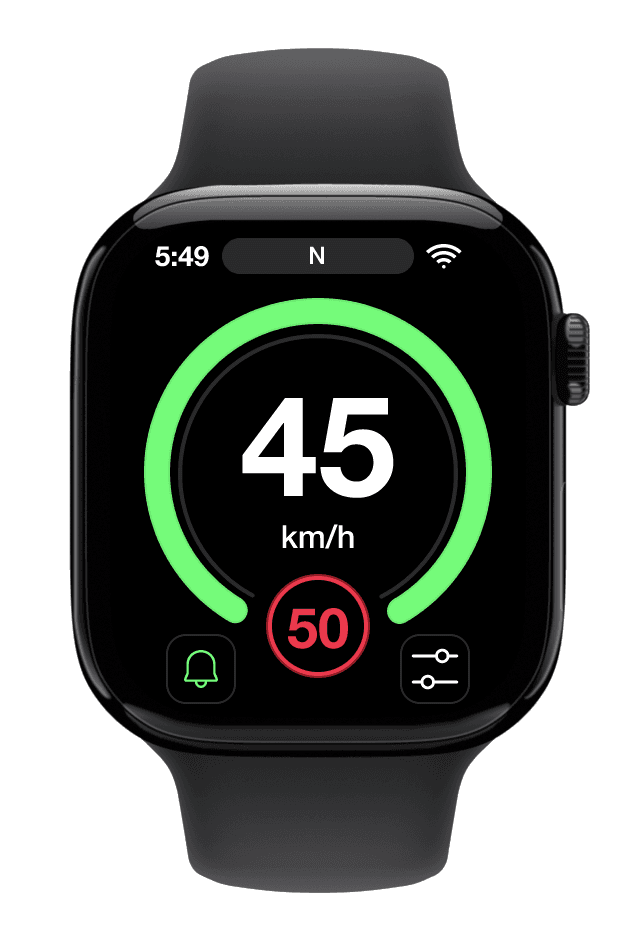
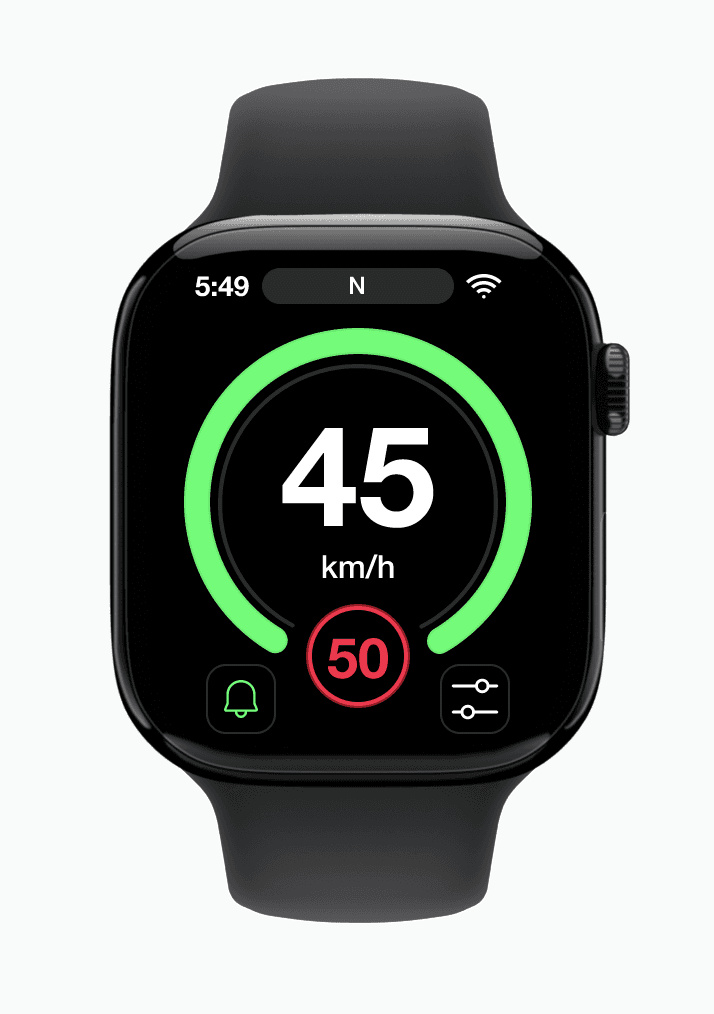
Green = Within Limit
Green = Within Limit
See your speed and the limit at a glance.
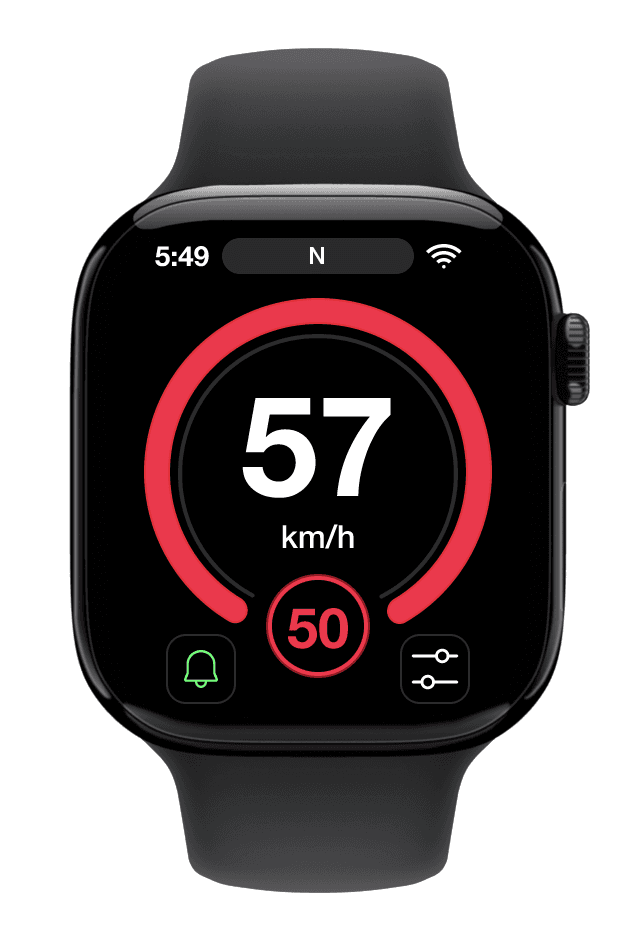
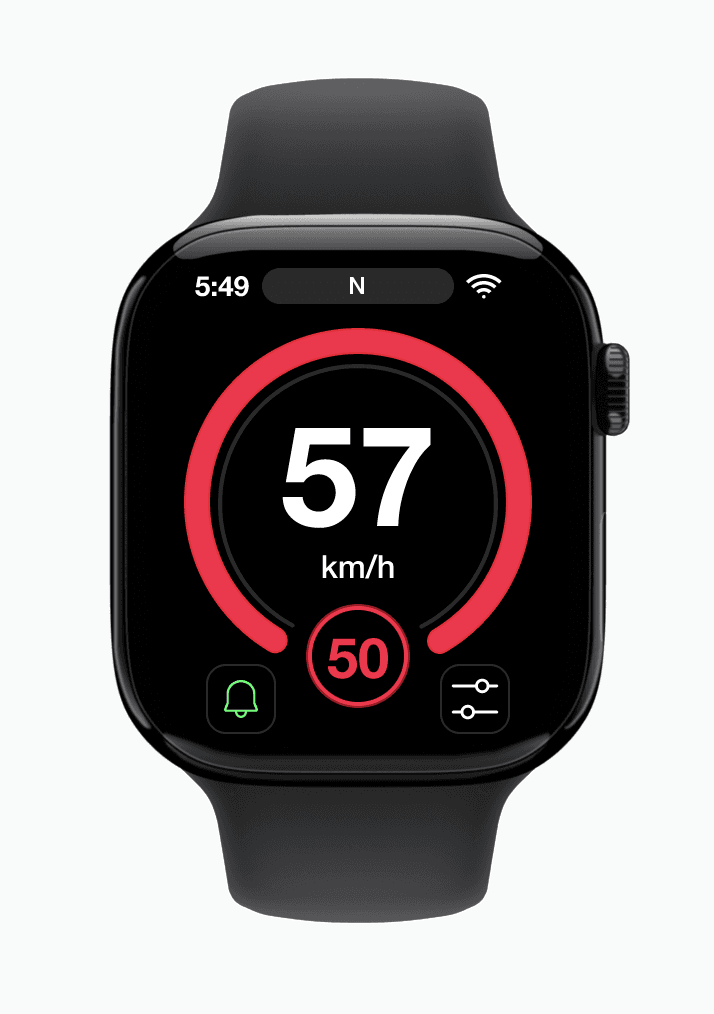
Red = Over Limit
If you exceed the limit, receive a gentle vibration and red alert screen.
Quick Toggle
Quick Toggle
Tap to quickly turn haptic alerts on or off.
Adjust Tolerance
Set your own tolerance for when alerts should trigger.
Early Sketches
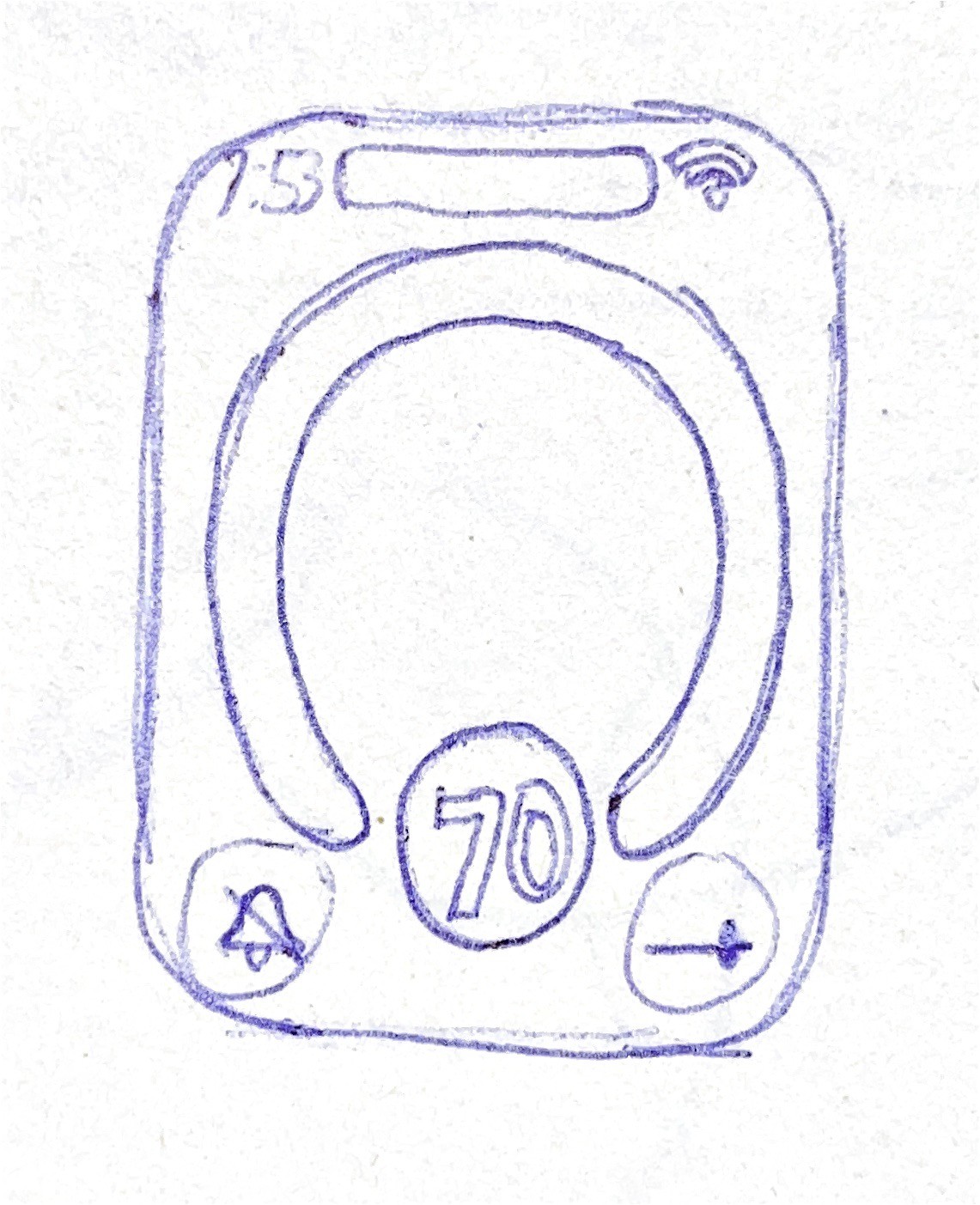
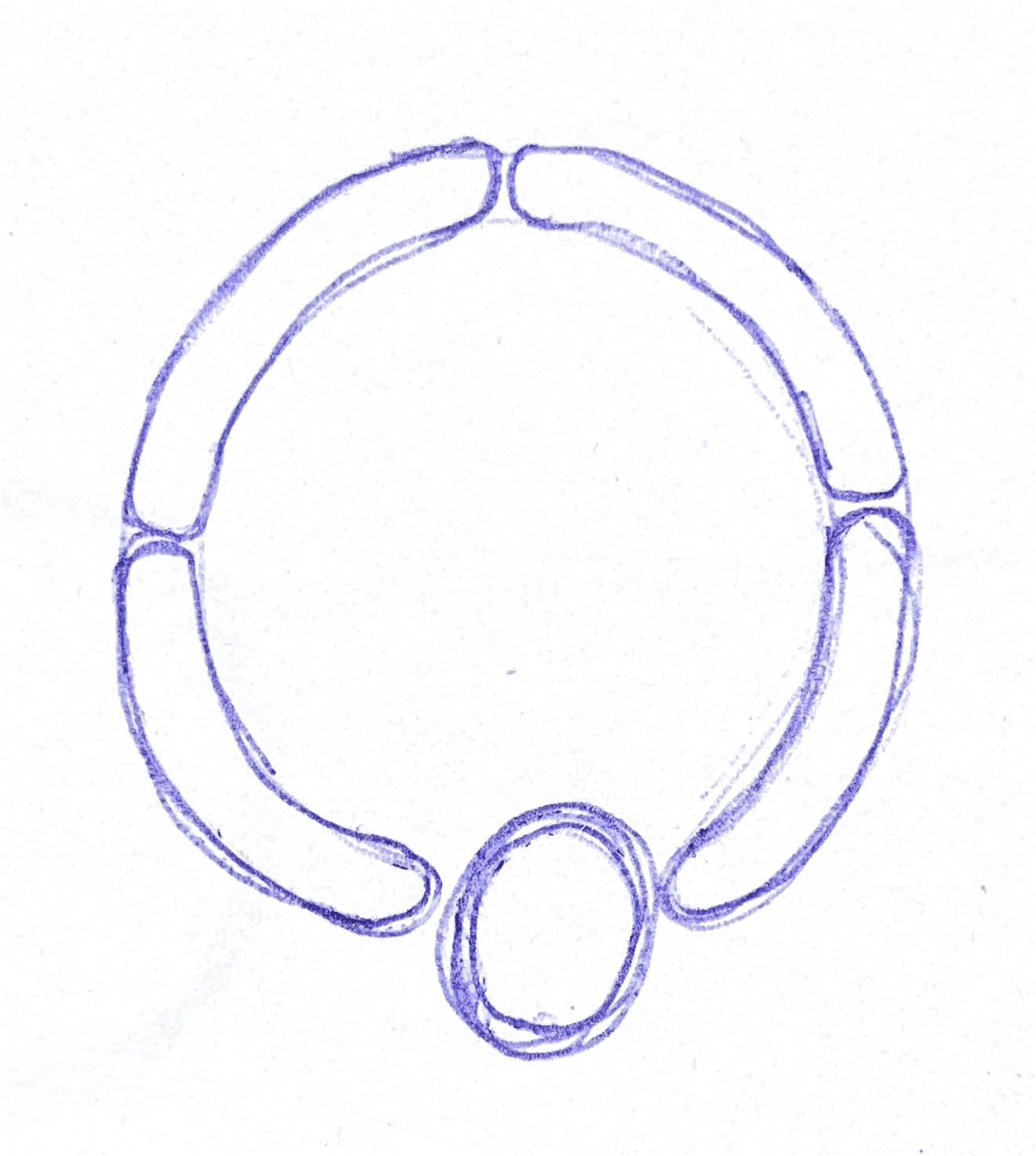
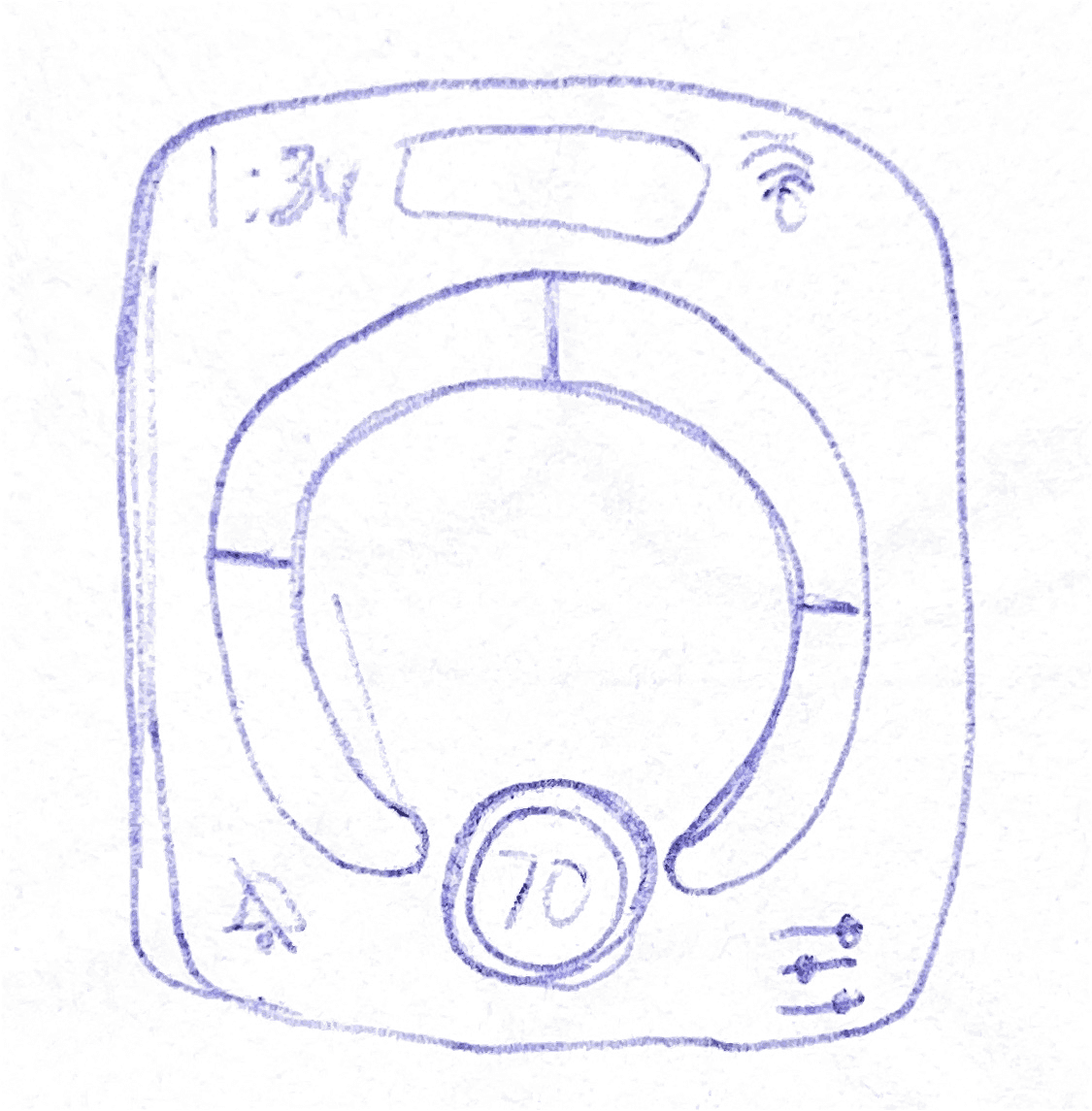
Originally, I considered having the screen border change color to indicate speed, but I decided to use a ring shaped indicator instead, as it more closely resembled a traditional speedometer. I explored a few variations of the ring but ultimately chose a simpler design for better clarity and focus.
I added two buttons at the bottom, one to toggle alerts and another to adjust speed tolerance, as well as a pill shaped element at the top to display direction. Fundamentally, the interface focuses on three key elements: the speed indicator, current speed, and speed limit.
Design Style Guide
Reflection
Gained experience optimizing layouts for limited space on the Apple Watch while maintaining clarity and usability.
Envisioned how SpeedNudge could integrate into existing navigation apps like Google or Apple Maps to provide subtle, real time alerts within trusted platforms.
Focused on displaying only the most important elements to reduce distractions and support quick decision making.
Colour Palette
Alert Red
#FF1744
Used to indicate speeding or alert states.
Safe Green
#00FF66
Indicates safe driving and within speed conditions.
Black
#000000
Primary background colour.
White
#FFFFFF
Used for text and icons on dark backgrounds.
Typography
Font Family: Helvetica Neue
Text Element
Speed Display
Speed Limit
Speed Unit
Direction
Medium
Bold
Bold
Medium
70px
28px
16px
12px
Main focus element showing current speed. Large and high contrast for quick visibility while driving.
Indicates the legal speed limit. Secondary but still prominent.
Smaller text used for measurement units to maintain focus on the primary speed value.
Minimal label for direction. Subtle and non distracting.
Weight
Size
Description
Components
Speed Tolerance
0
km/h
50
Speed Limit Indicator
Speed Tolerance Popup
Tolerance Settings
Within-Speed Indicator
N
Speeding Indicator
Direction Indicator
Alert ON
Alert OFF
Colour Palette
Black
#000000
Primary background colour.
Safe Green
#00FF66
Indicates safe driving and within speed conditions.
Alert Red
#FF1744
Used to indicate speeding or alert states.
White
#FFFFFF
Used for text and icons on dark backgrounds.
Typography
Font Family: Helvetica Neue
Text Element
Speed Display
Speed Limit
Speed Unit
Direction
Medium
Bold
Bold
Medium
70px
28px
16px
12px
Main focus element showing current speed. Large and high contrast for quick visibility while driving.
Indicates the legal speed limit. Secondary but still prominent.
Smaller text used for measurement units to maintain focus on the primary speed value.
Minimal label for direction. Subtle and non distracting.
Weight
Size
Description
Components
Speed Tolerance
0
km/h
50
Speed Limit
Indicator
Speed Tolerance Popup
Tolerance
Settings
Within-Speed Indicator
N
Speeding Indicator
Direction Indicator
Alert ON
Alert OFF
Early Sketches
Originally, I considered having the screen border change color to indicate speed, but I decided to use a ring shaped indicator instead, as it more closely resembled a traditional speedometer. I explored a few variations of the ring but ultimately chose a simpler design for better clarity and focus.
I added two buttons at the bottom, one to toggle alerts and another to adjust speed tolerance, as well as a pill shaped element at the top to display direction. Fundamentally, the interface focuses on three key elements: the speed indicator, current speed, and speed limit.
Colour Palette
Alert Red
#FF1744
Used to indicate speeding or alert states.
Safe Green
#00FF66
Indicates safe driving and within speed conditions.
Black
#000000
Primary background colour.
White
#FFFFFF
Used for text and icons on dark backgrounds.
Typography
Font Family: Helvetica Neue
Text Element
Speed Display
Speed Limit
Speed Unit
Direction
Medium
Bold
Bold
Medium
70px
28px
16px
12px
Weight
Size
Description
Main focus element showing current speed. Large and high contrast for quick visibility while driving.
Indicates the legal speed limit. Secondary but still prominent.
Minimal label for direction. Subtle and non distracting.
Smaller text used for measurement units to maintain focus on the primary speed value.
Components
Within-Speed Indicator
Speeding Indicator
Speed Tolerance
0
km/h
Speed Tolerance Popup
N
Direction Indicator
50
Speed Limit Indicator
Tolerance Settings
Alert ON
Alert OFF
Early Sketches
Originally, I considered having the screen border change color to indicate speed, but I decided to use a ring shaped indicator instead, as it more closely resembled a traditional speedometer. I explored a few variations of the ring but ultimately chose a simpler design for better clarity and focus.
I added two buttons at the bottom, one to toggle alerts and another to adjust speed tolerance, as well as a pill shaped element at the top to display direction. Fundamentally, the interface focuses on three key elements: the speed indicator, current speed, and speed limit.
Reflection
Gained experience optimizing layouts for limited space on the Apple Watch while maintaining clarity and usability.
Focused on displaying only the most important elements to reduce distractions and support quick decision making.
Envisioned how SpeedNudge could integrate into existing navigation apps like Google or Apple Maps to provide subtle, real time alerts within trusted platforms.
How It Works
Green = Within Limit
See your speed and the limit at a glance.
Red = Over Limit
If you exceed the limit, receive a gentle vibration and red alert screen.
Tap to quickly turn haptic alerts on or off.
Quick Toggle
Adjust Tolerance
Set your own tolerance for when alerts should trigger.
Design Style Guide
Colour Palette
Alert Red
#FF1744
Used to indicate speeding or alert states.
Safe Green
#00FF66
Indicates safe driving and within speed conditions.
Black
#000000
Primary background colour.
White
#FFFFFF
Used for text and icons on dark backgrounds.
Components
Speeding Indicator
Within-Speed Indicator
Speed Tolerance
0
km/h
Speed Tolerance Popup
N
Direction Indicator
50
Speed Limit Indicator
Tolerance Settings
Alert OFF
Alert ON
Typography
Text Element:
Weight:
Size:
Description:
Font Family: Helvetica Neue
Speed Display
Bold
70px
Main focus element showing current speed. Large and high contrast for quick visibility while driving.
Text Element:
Weight:
Size:
Description:
Speed Limit
Bold
28px
Indicates the legal speed limit. Secondary but still prominent.
Text Element:
Weight:
Size:
Description:
Speed Unit
Medium
16px
Smaller text used for measurement units to maintain focus on the primary speed value.
Text Element:
Weight:
Size:
Description:
Direction
Medium
12px
Minimal label for direction. Subtle and non distracting.
Idea Origin
The idea for SpeedNudge came to me in the middle of the night when I couldn’t sleep. I started thinking about how some modern cars have built-in alerts that notify drivers when they exceed the speed limit. However, many people don’t have access to this feature. I wanted to explore a way for people who care about driving within the speed limit to still have a similar alert system, as long as they have an Apple Watch.
Idea Origin
The idea for SpeedNudge came to me in the middle of the night when I couldn’t sleep. I started thinking about how some modern cars have built-in alerts that notify drivers when they exceed the speed limit. However, many people don’t have access to this feature. I wanted to explore a way for people who care about driving within the speed limit to still have a similar alert system, as long as they have an Apple Watch.